On this page6 sections
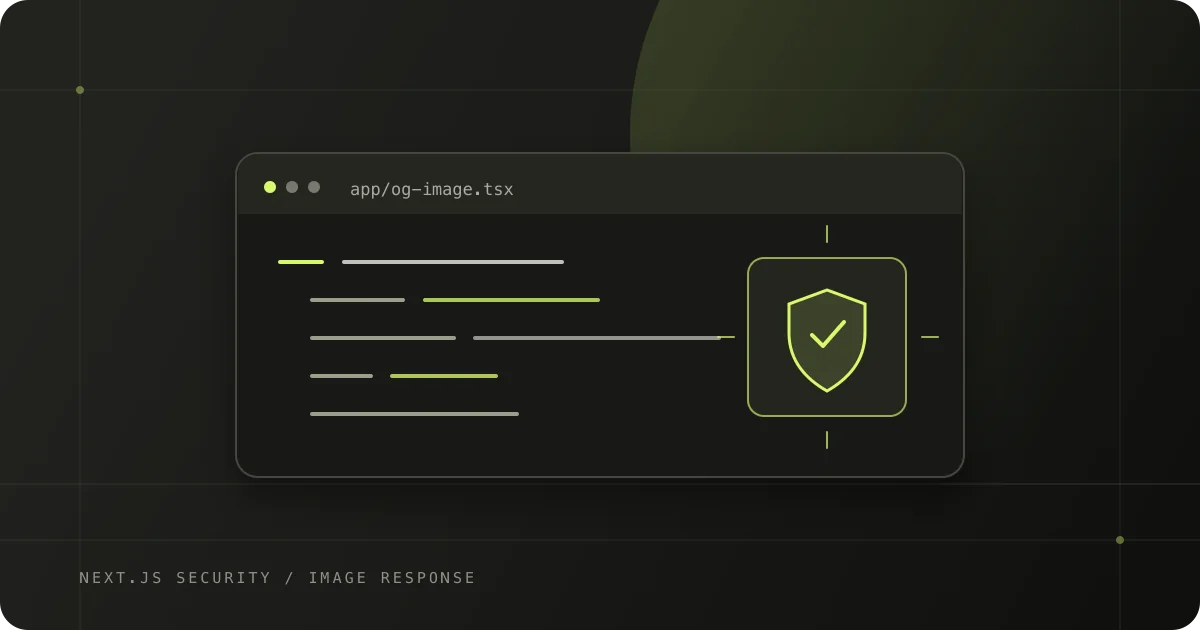
Next.js 16.3.6 fixes a critical remote code execution vulnerability in the Node.js implementation of ImageResponse from next/og. The issue matters when an affected application sends attacker-controlled values into SVG content, attributes or styles while generating an image.
The affected range is Next.js >=16.2.0 <16.3.6. The fix is in 16.3.6. Applications using the Edge ImageResponse implementation are not affected by this advisory, and neither are applications that do not pass attacker-controlled values into the generated SVG. Even so, updating is the clear first step: application-level review does not replace the upstream patch.
This guide explains how to check your version, find the routes that need review and reduce exposure while an upgrade is in progress.
What the advisory covers
The Next.js security update describes an upstream issue in Satori's SVG output escaping. Under specific conditions, the Node.js ImageResponse implementation can turn unsafe SVG output into remote code execution. The Next.js advisory records the affected and patched versions and the input conditions.
The relevant scope is specific:
- Affected: Next.js 16.2.0 through 16.3.5 using the Node.js
ImageResponseimplementation, with attacker-controlled values passed into SVG content, attributes or styles. - Patched: Next.js 16.3.6.
- Not affected by this RCE advisory: the Edge
ImageResponseimplementation and applications that do not insert attacker-controlled values into the generated SVG. - Next.js 15: the 15.5.26 release includes related dependency hardening; the Next.js team says the 15.x line is not affected by this RCE.
Do not infer exposure from whether an app has an opengraph-image.tsx file alone. Check the runtime and the data that reaches the image template. A title from a public profile form or an organization name that an untrusted member can change is still attacker-controlled input, even after it has been stored in your database.
Upgrade Next.js and its lockfile
For an application on the 16.3 line, install the patched framework and keep its matching Next.js tooling aligned:
npm install --save-exact next@16.3.6If your project uses @next/bundle-analyzer, align it as a development dependency too:
npm install --save-dev --save-exact @next/bundle-analyzer@16.3.6If your project also declares eslint-config-next or @next/eslint-plugin-next directly, align those packages to the same release. Use your repository's package manager, commit its updated lockfile, and verify the resolved version:
npm ls next @next/bundle-analyzerDeploy the new dependency set to every environment that serves the application. A local package update does not patch an already-built production image or a deployment that still points at the previous commit. Confirm the production deployment is healthy and reports the new build before closing the update.
For a project on Next.js 15.5, use the upstream 15.5.26 release for the related hardening. The Next.js announcement explicitly distinguishes that hardening from the RCE, which does not affect Next.js 15.x.
Find every image-generation path
Search application and shared code for the image API and the routes that may use it:
rg -n 'ImageResponse|next/og|opengraph-image|twitter-image' app src pagesAdjust the directories for your repository. Review each match and trace values from their source into the rendered image. Common sources include:
- query parameters in a public image route
- dynamic route segments such as a profile or product slug
- organization, user or product names from a database
- text entered into a CMS or imported from an integration
- remote content copied into a preview card
The key question is not whether a value has passed through a database or a UI form. It is whether an untrusted person can influence the value that is rendered into SVG output.
Reduce risk in the image template
Keep the SVG structure, styles and attributes under application control. Treat dynamic text as plain text, and validate it before rendering: set a reasonable length limit, select fields the template actually needs and provide a safe fallback when data is missing. Do not let request input construct SVG markup, attributes, CSS or arbitrary component trees.
On the patched framework, choose a record by a validated identifier and map only the display fields into a fixed template. findPublicProductBySlug represents your own server-side query and should return only public display data:
import { ImageResponse } from 'next/og';

export const runtime = 'nodejs';

export default async function Image({
  params
}: {
  params: Promise<{ slug: string }>;
}) {
  const { slug } = await params;
  const product = await findPublicProductBySlug(slug);

  const title = product?.name?.slice(0, 80) ?? 'Product';

  return new ImageResponse(
    (
      <div
        style={{
          display: 'flex',
          width: '100%',
          height: '100%',
          padding: 64,
          background: '#111111',
          color: '#ffffff',
          fontSize: 64
        }}
      >
        {title}
      </div>
    ),
    { width: 1200, height: 630 }
  );
}
This example illustrates data flow; the framework upgrade is still required for affected versions. A length limit improves layout stability but is not a security patch. Avoid trying to compensate for a vulnerable dependency with a home-grown regex or by stripping a few characters. If you cannot upgrade immediately, follow the official workaround: do not pass attacker-controlled values to the vulnerable Node.js image renderer. Use fixed trusted content or temporarily disable that dynamic image path.
Also check that the lookup itself is safe. A public image endpoint should fetch only the record identified by its route, return a deliberate fallback for missing or private records, and avoid exposing internal fields in generated metadata.
Verify the deployed result
After the dependency update, review the same image routes in development and in the deployed environment. Confirm that:
- The production build uses Next.js 16.3.6 or a later patched version.
- Dynamic titles render as plain text and cannot alter SVG structure, attributes or styles.
- Missing, unpublished and unusually long records produce a safe fallback image.
- Image responses keep the intended dimensions, content type and cache behavior.
- Your CI or dependency monitoring will alert you when the framework receives another security release.
These checks are regression coverage for the application. The framework patch remains the essential fix because it updates the upstream image-generation dependencies that caused the issue.
Achromatic release status
Both Achromatic starter kits are on Next.js 16.3.6 in the v2.7.1 Prisma release and the v2.7.1 Drizzle release. Existing projects should still verify their own installed version and production deployment; updating a starter-kit repository does not automatically update applications created from an earlier download.
For the complete list of the advisories in the preceding security update, see our Next.js 16.2.11 security guide. For a repeatable review of authentication, authorization, billing and other sensitive workflows after framework changes, see testing Better Auth with Playwright.