Overview
Learn how to configure and send emails.
Emails are a crucial part of any web application. For example sending an email confirmation, reset password link, welcome email and many more.
Providers
In the packages/email/provider folder you can find the configured provider. There are multiple providers available:
Nodemailer
Postmark
Resend
SendGrid
Basic Settings
Regardless of what provider you are choosing, there are some basic settings you need to set up.
Sender Address
We need a sender email (EMAIL_FROM) which is the address used to send outgoing emails. This is sometimes referred to as the mailer address.
Update the apps/dashboard/.env file:
EMAIL_FROM=noreply@mailer.yourdomain.comIf you want to configure a name in your sender, set EMAIL_FROM in this format:
EMAIL_FROM='John <noreply@mailer.yourdomain.com>'Feedback Inbox
To receive in-app feedback, we need to set up an inbox.
Update the apps/dashboard/.env file:
EMAIL_FEEDBACK_INBOX=support@yourdomain.comTemplates
The starter kit uses React Email to create email templates using .tsx files.
Why choose React Email? React Email allows us to leverage Tailwind and React components, while ensuring consistent email styling across various email clients. It's really easy to write consistent email templates.
Example
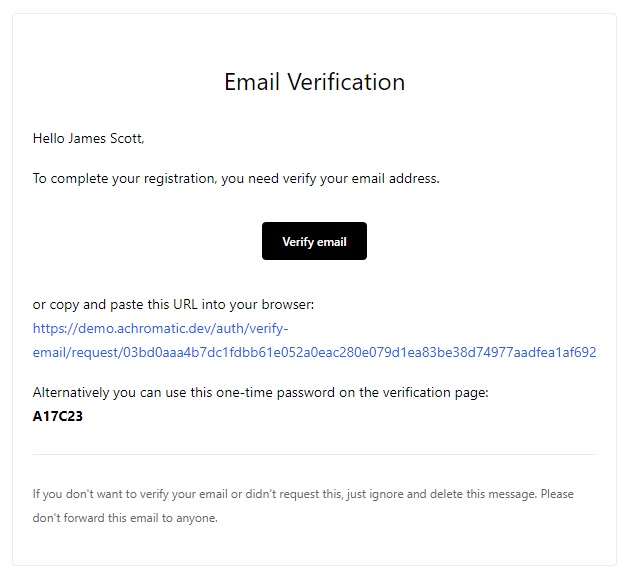
Implemented templates
- Verify Email Address
- Welcome
- Password Reset
- Invitation
- Revoked Invitation
- Connected Account Security Alert
- Confirm Email Address Change
- Feedback
Preview templates
Run following command:
pnpm --filter email preview